Parts rebuilt with history
We read the STEP geometry and rebuild the model feature by feature. You receive SOLIDWORKS part files (.SLDPRT) whose shape follows when you change a dimension.
We rebuild shape-only STEP files
as editable SOLIDWORKS models with a feature history.
A STEP file from a customer or supplier has the right shape but no feature history. Opened in SOLIDWORKS it is a single imported body: moving one hole means redrawing the part or pushing faces around by hand.
We rebuild those STEP files as SOLIDWORKS models with sketches and features — extrudes, holes, fillets and so on. The service is built for large batches, not one part at a time.
Besides STEP, we also take the other neutral formats: Parasolid (.x_t .x_b), ACIS (.sat .sab) and IGES (.igs .iges). For STL, please ask us first.
We read the STEP geometry and rebuild the model feature by feature. You receive SOLIDWORKS part files (.SLDPRT) whose shape follows when you change a dimension.
A multi-part STEP is rebuilt part by part and reassembled as a SOLIDWORKS assembly (.SLDASM). We also check the parts for interference.
A past product line, a set of parts received from a supplier, data that lost its history in a CAD migration — we take the whole set in one go.
We send you SOLIDWORKS files (parts .SLDPRT, assemblies .SLDASM), saved for the version you use: 2024, 2025 or 2026.
If you only have 2D drawings, see SOLIDWORKS models from drawings.
Right after import, a STEP file is only a shape: its dimensions cannot be changed. After conversion it has a history of extrudes, holes and fillets, and changing a dimension changes the shape.
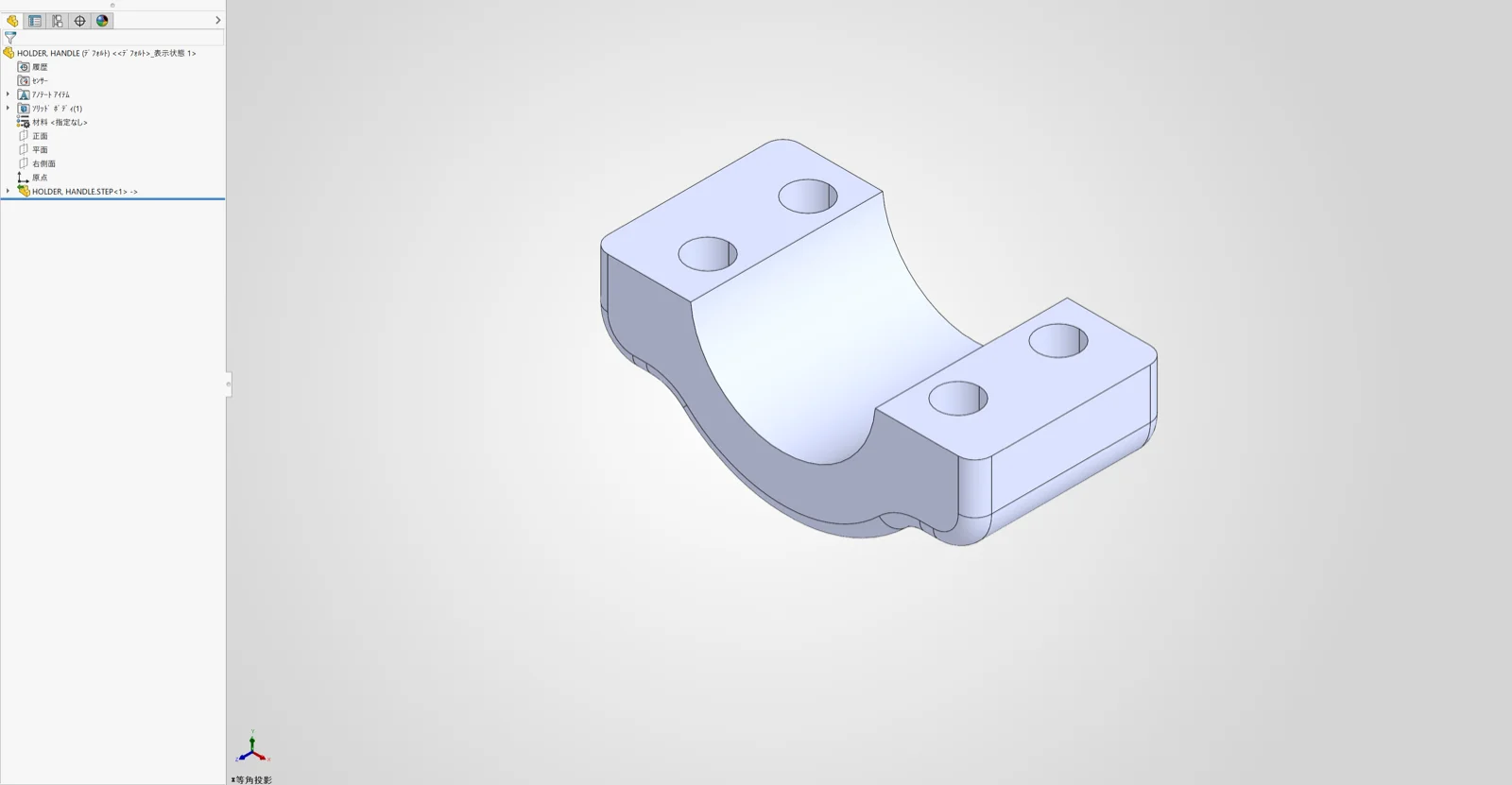
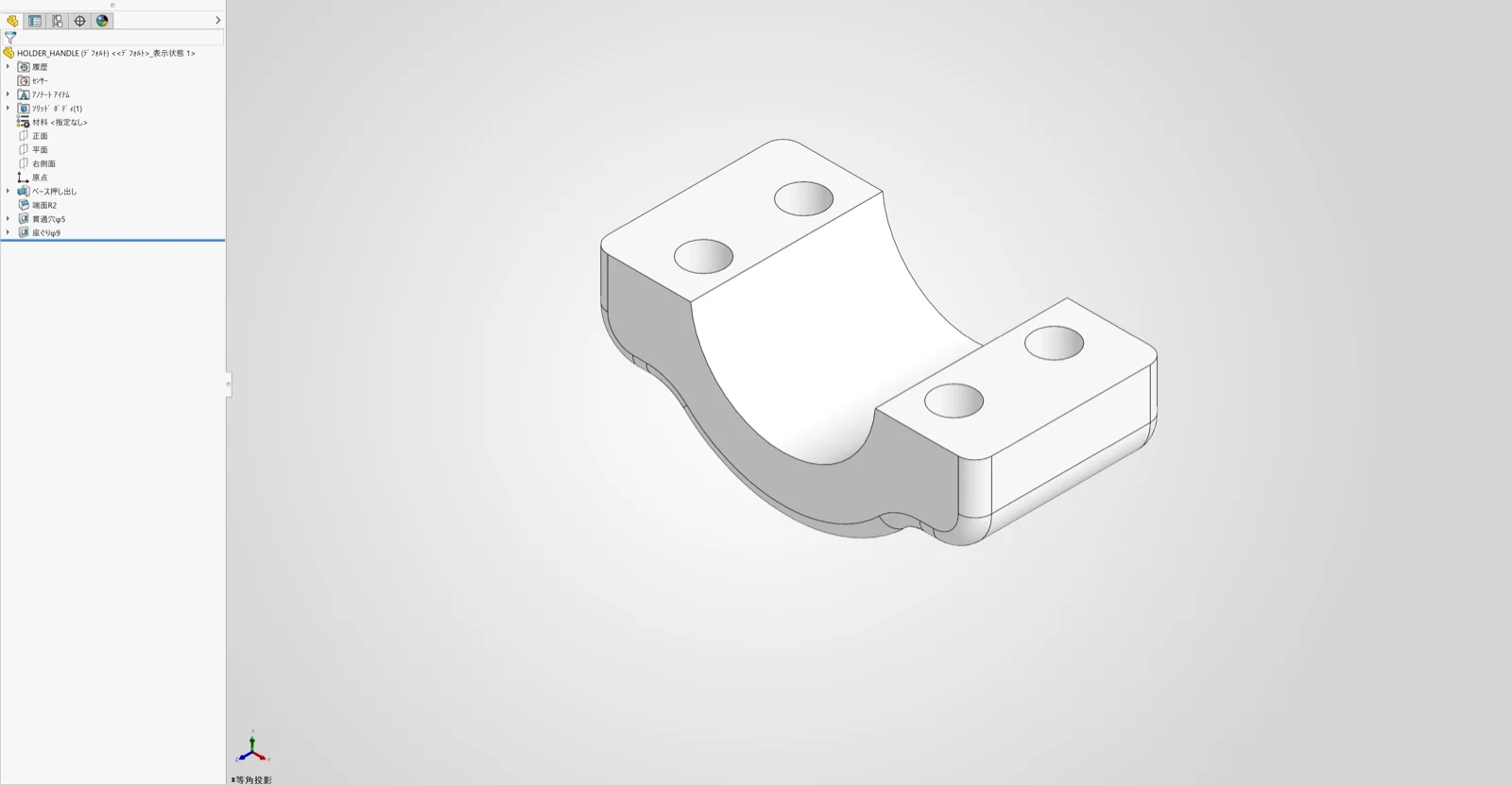
Click an image to see it larger.
Our mechanical design engineers rebuild each model, comparing it with the original STEP as they go. Mechanical structural design is our main business, so the people doing the work design machines every day.
For some shapes we may simplify part of the feature history. When we do, we tell you which part and which feature at delivery.
1. Enquiry and NDA
Tell us the number of files, the formats, whether they are parts or assemblies, and when you need them. We can sign a non-disclosure agreement before you send the production data.
2. Check the quality on a few files
We rebuild a few files first. You decide on the rest of the batch and the price after seeing the result.
3. Batch rebuild and delivery
We rebuild the rest and deliver each model as soon as it is finished.
The price is from $10 per item and depends on the shape. Quotes are free. For a quote, send non-confidential data through the quote request page (up to 100MB in total). For the full set of production data, we explain how to hand it over once the NDA is signed.
From $10 per item (excl. tax)
The price depends on the shape. Quotes are free.
* A handling fee applies per request (excl. tax): 1–9 items $100 / 10–19 items $50 / 20 items or more: none
Examples: 5 items = from $50 + handling fee $100 = from $150. 30 items = from $300 (no handling fee).
Send non-confidential data through the quote request page. Quotes are free.
Request a quote